Home » Courses » Photoshop CS6 Certification Level 1 » Module 28: Using Text (1)
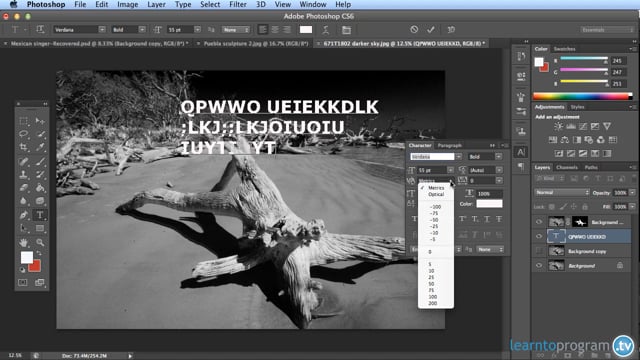
Module 28: Using Text (1)
(Video)
play_circle_filled
Lessons
- Module 01: Introduction
- Module 02: Image Insert, Re-size and Adjustment
- Module 03: Working in The Document Window
- Module 04: A Look at The Tool Bar
- Module 05: Layers
- Module 06: How to Insert Text Over an Image
- Module 07: Filing and Good Housekeeping
- Module 08: Preparing Your Image for Printing or Sending via Internet.
- Module 09: Image Rotation
- Module 10: Aspect Ratios
- Module 11: File Types - Introduction
- Module 12: File Types - Raw & Jpeg
- Module 13: File Types - Tiff, Gif & Png
- Module 14: Brightness and Contrast Settings (1)
- Module 15: Brightness and Contrast Settings (2)
- Module 16: Layers in Photoshop Elements
- Module 17: How to Pull in an Image
- Module 18: Adding Text to a Photoshop Document
- Module 19: Layers Summary
- Module 20: Image Extraction with Refine Edge (1)
- Module 21: Image Extraction with Refine Edge (2)
- Module 22: Colour Management
- Module 23: Enhancing Colour Images (1)
- Module 24: Enhancing Colour Images (2)
- Module 25: Retouching Images
- Module 26: The Clone Stamp Tool
- Module 27: The Paint & Select Tool
- Module 28: Using Text (1)
- Module 29: Using Text (2)
- Module 30: Drawing Tools
- Module 31: Drawing Shapes & Diagrams
Get a quote
- We offer a price match guarantee.
- Set-up is simple, with a fully branded LMS, single sign-on and API integration.
- It works on desktop and mobile, so your team can train wherever suits them.
Once you’ve sent your details, one of our team will be in touch to talk you through your training options.